Website Maintenance & Support

Website maintenance services that take work off your plate.

Your business already gives you enough to manage. WordPress updates, backups, hosting questions, and website upkeep don’t need to become another job.


Savage Web Solutions offers website maintenance services for business owners who want a clearer plan for keeping their sites looked after. We’ll discuss your setup, the responsibilities you want help with, and the support that makes sense for your business.
WordPress updates · Backups · Hosting · Website support
website maintenance

One less thing to manage.

You don’t have to wait until something breaks to ask for help. Start with your website address and tell us what you’d like taken off your list.

WEBSITE MAINTENANCE SHOULDN’T BE A GUESSING GAME

Who’s taking care of your website?

A website can look fine while routine jobs pile up behind the scenes. If you’re not sure who handles these responsibilities, it might be time for a website maintenance conversation.


Updates keep piling up

You log in, see a list of updates, and leave them for another day. It’s understandable when you’re unsure what they change or what might happen afterward.

Backups are a mystery

You think someone is backing up the website, but you’re not sure where those copies are, how recent they are, or how you’d recover the site.
website maintenance

Security gets overlooked

Old software and forgotten accounts are easy to miss. Keeping track of updates and access is part of routine website care, even when nothing looks wrong.

Hosting feels confusing

You’re paying a hosting bill, but you’re not sure what’s included or who handles technical questions. When something needs attention, it’s unclear where to start.

Small issues go unnoticed

A form stops sending, a link points to the wrong page, or something looks awkward on mobile. You only discover the issue when somebody mentions it.

No clear support contact

You have a website question, but the person who built the site has moved on or isn’t handling ongoing support. Now every small request becomes a search for help.

PRACTICAL WEBSITE MAINTENANCE SERVICES

You run the business.
We’ll help with the website.

Good website care takes more than occasionally clicking Update. It means knowing which responsibilities need attention and who’s handling them. These are the areas we can discuss when putting together your maintenance plan.

WordPress updates

Keep WordPress, themes, and plugins on the maintenance list. The work should account for your website’s setup and the checks needed after relevant changes.

Hosting & technical help

Discuss the hosting environment, account responsibilities, and technical assistance your website needs. Hosting and website maintenance should work together, with clear boundaries between providers.

Backup management

Plan how website copies are created, stored, and used if recovery becomes necessary. Backup needs should reflect how frequently your content, inquiries, or store data change.
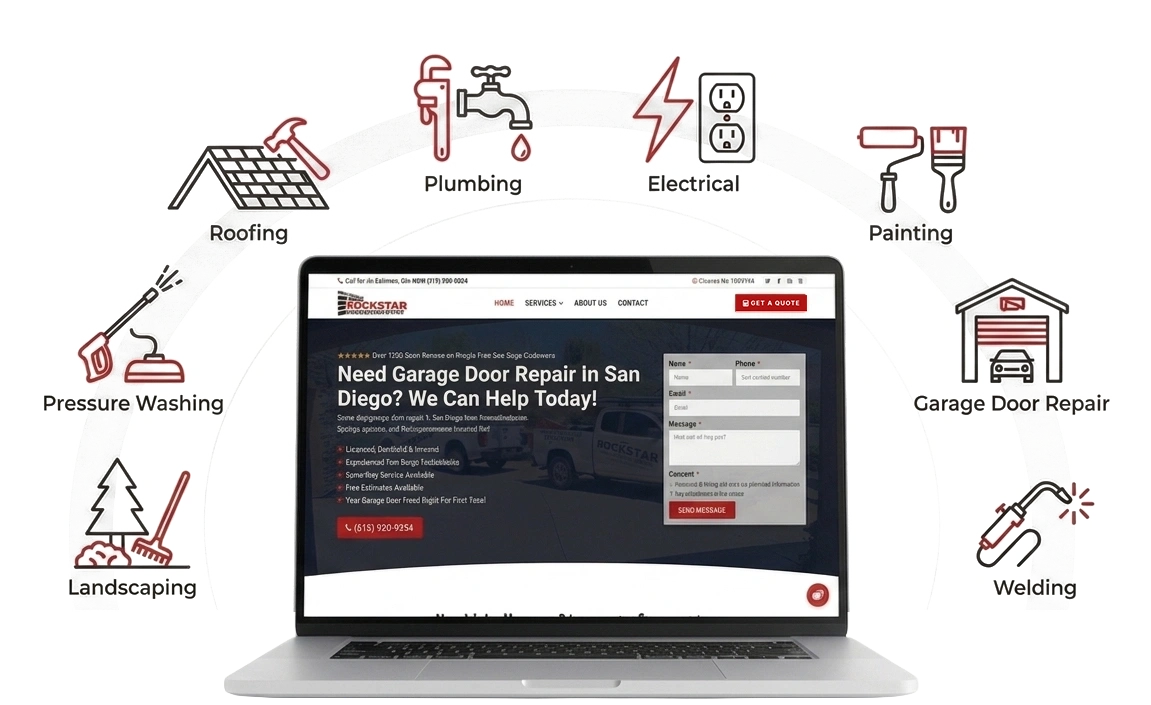
Laptop mockup of a service business website surrounded by icons for roofing, plumbing, electrical, painting, garage door repair, welding, landscaping, and pressure washing

Security-related upkeep

Address routine software and access responsibilities that help reduce avoidable risks. Maintenance supports sensible precautions, but no service can promise that a website will never have a security issue.

Functionality checks

Give important pages and customer actions attention. Forms, navigation, mobile layouts, and other agreed features need more than an occasional glance at the homepage.

Ongoing website support

Have a defined way to ask questions and request help. Content changes, troubleshooting, and additional work depend on the support included in your agreement.

Your website doesn’t need to be another job.

Tell us which website responsibilities you want help with. We’ll discuss a website maintenance arrangement that fits your setup and the support you need.

WHY ONGOING CARE MATTERS

Your website keeps changing, even when you don’t edit it.

The text on your homepage might stay the same for months. The software and services supporting it don’t stand still. Website maintenance services help give those ongoing responsibilities a place on the calendar.

Software keeps moving

WordPress, themes, and plugins receive updates over time. Keeping track of those changes is part of maintaining the setup your website relies on. That still matters when you haven’t added a new page in months.

Small issues need attention

A broken link or form problem might not announce itself. Looking at important customer actions can reveal issues that deserve attention before they become a familiar frustration for visitors.

Recovery needs a plan

If something goes wrong, you’ll want to know what backups exist and how recovery would work. Those questions are easier to answer when they’ve been considered before a problem appears.

HOSTING & TECHNICAL MANAGEMENT

Your website needs a good place to run.

Hosting provides the environment that serves your website to visitors. It’s part of the setup behind your pages, images, and features, even if you rarely think about it.


Website hosting and maintenance are connected, but they aren’t the same service. Paying for hosting doesn’t automatically mean someone is updating WordPress or checking your contact form.

01 — Understand the setup

Start with the hosting provider, website platform, and services connected to the site. Knowing where everything lives helps identify who can address different questions and technical issues.

02 — Define the responsibilities

Clarify who manages hosting, website software, account access, and support requests. If hosting is part of the proposed arrangement, its scope and any separate costs should be clear.

03 — Coordinate the support

Some questions involve the website itself; others need the hosting provider or another service. An agreed support process helps make those handoffs less confusing.

GOOD WEBSITE WORK DOESN’T END AT LAUNCH

A better website is worth looking after.

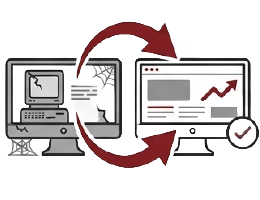
Your existing before-and-after examples show how design and structure can change a website’s presentation. Once that work is done, the site still needs attention behind the scenes.


A redesign and ongoing maintenance serve different purposes. One changes the website; the other gives its continuing upkeep a plan. If you’ve invested in a site that fits your business, it makes sense to discuss how it will be supported.

cyclevisions website redesign - old site

Built it. Launched it. Now look after it.

Let’s talk about the ongoing care your website needs.

BEHIND THE SCENES

Different platforms. The same need for ongoing care.

Website maintenance looks different depending on how your site is built. WordPress, Shopify, and Wix each have their own tools and responsibilities. We’ll discuss your setup and identify the upkeep and support that make sense for your business.

WordPress website maintenance involves looking after the software, themes, and plugins your site relies on. Updates, backups, account access, and checks of important features all deserve attention.


Your setup determines the work involved. A simple business website has different needs from a WooCommerce store or a site with booking tools. We’ll discuss those requirements and define the maintenance responsibilities, including where hosting and additional technical support fit.

Shopify website maintenance focuses on the parts of your store you manage, including your theme, apps, product information, navigation, and connected tools. Shopify handles its platform infrastructure, but your storefront still needs attention.


Outdated information, app changes, or awkward mobile layouts can affect the shopping experience. Maintenance can include reviewing those areas and discussing ongoing changes. Some issues depend on Shopify or an app developer, so the support scope should account for that.

Wix website maintenance focuses on keeping your pages, business information, forms, and connected features useful and up to date. Wix manages the underlying platform, while the content and setup of your individual site still need care.


That might mean updating service details, reviewing mobile layouts, checking links, or investigating a form that isn’t behaving as expected. The work depends on your editor, apps, and any custom functionality, with Wix support involved when needed.

Every business website benefits from accurate information and working customer actions. Contact details change, services evolve, links become outdated, and new content can introduce layout issues.


General website maintenance can include text and image updates, navigation reviews, form checks, and attention to important pages on mobile. If your site uses another platform or a custom setup, share the details so we can discuss what support is available and what access would be needed.

Whatever platform you use, you should know who handles the upkeep and where to go with a question. A website  maintenance plan puts those responsibilities in writing instead of leaving them to assumptions.

We’ll discuss the work you want help with, how requests are handled, and which tasks need separate approval. Hosting, backups, recovery options, paid software, and larger changes should be addressed according to your platform and the agreed service.

LESS WEBSITE ADMIN

You run your business. We’ll help with the upkeep.

Spend less time wondering what needs updating or who to contact. Let’s define the website maintenance responsibilities you’d like help managing.

REAL WEBSITE WORK

Websites built for real businesses.

Explore our website projects to see how we approach content, layout, and the actions customers need to take.

KNOW WHAT YOU’RE PAYING FOR

A website maintenance plan should make the responsibilities clear.

Website maintenance services should come with identifiable work and sensible boundaries. A small business website and a busy online store won’t necessarily need the same arrangement.

Routine website care

Define the recurring work, how it fits your website, and who handles each responsibility. The schedule should reflect the setup rather than being left to guesswork.

Hosting & support

Establish where hosting fits and how you’ll ask for help. Your agreement should explain what assistance is included and what needs another provider’s involvement.

Changes & extra work

Discuss the changes you expect to request. Updating a phone number and building a new booking system are very different jobs, even if both begin with “a quick website change.”

DO IT YOURSELF OR HAND IT OVER?

Who should handle your website maintenance?

You can manage your own website if you have the time and are comfortable with the responsibilities. Professional website maintenance gives you another option when you’d rather put that time into the business.

Managing it yourself

You stay responsible for the routine jobs and the decisions that come with them. DIY maintenance works best when it’s an ongoing responsibility, rather than something you remember only when the website needs attention.

Getting professional support

You agree which responsibilities to hand over and how support will work. Professional support doesn’t remove every website decision. It gives you help with the work you’ve agreed to delegate.

CHOOSE YOUR NEXT STEP

Ongoing website maintenance or something that needs fixing?

Tell us what you need right now. Routine website maintenance and repairs can be connected, but they start with different priorities.

I want someone to handle the upkeep.

Discuss website maintenance services for updates, backups, hosting responsibilities, and ongoing support.

Something is already broken.

If a page, form, or feature has stopped working, start with the problem. It may need repair before ongoing maintenance begins.

GETTING STARTED

Let’s get your website maintenance organized.

Start with your website address and the responsibilities you want help with. You don’t need to know every plugin or hosting setting before contacting us.

01 — Tell us about your website

Share the URL, your platform if you know it, and any current concerns. Mention who handles hosting and maintenance now, plus the tasks you’d like to hand over.

02 — Review the maintenance needs

Look at the setup and discuss an appropriate scope. This is where hosting, updates, backups, support, pricing, and any existing issues need to be addressed.

03 — Start the agreed service

Once the arrangement and access are in place, the covered maintenance can begin. Establish the process for requests and communication so you know where to turn.

WHY SAVAGE WEB SOLUTIONS

Website support with a person behind it.

You don’t need a complicated explanation every time you ask a website question. You need useful answers and a clear understanding of what happens next.

Hands-on website experience

Our website work connects design, content, and functionality. That perspective helps keep maintenance conversations focused on how your site serves your business, rather than just what appears in the dashboard.

Straightforward communication

We’ll talk through the work in everyday language. If a decision affects your costs, website, or responsibilities, you should understand it without needing to learn a new technical vocabulary.

Practical recommendations

Some needs belong in a maintenance plan. Others call for repair, design, or SEO work. Keeping those services distinct helps you understand what you’re paying for and why.

WEBSITE MAINTENANCE COST

The plan should fit the website.

Website maintenance services are priced around the work involved and the support you need. A straightforward informational site is different from a store with transactions and several connected tools.


Tell us how you use the website and what you want help managing. We can discuss the appropriate arrangement without putting you into a package that doesn’t match the work.

What affects the cost?

The number of pages is only part of the picture. A smaller site with complex booking features may need more attention than a larger site with simple content.


Hosting, paid software, content updates, and major repairs should be accounted for clearly. A monthly fee shouldn’t leave you guessing about which responsibilities are actually covered.

Ready to take website maintenance off your list?

Let’s discuss your website, the support you need, and the responsibilities you’d like handled.

WHEN AN UPDATE DOESN’T GO TO PLAN

What if a WordPress update breaks something?

Updates are a normal part of WordPress maintenance. Sometimes a change affects how existing software works together, which is why preparation and relevant checks matter.


Leaving updates indefinitely isn’t a maintenance strategy either. The useful question is how changes will be managed and what happens if a problem appears.


Website maintenance services should make that process clearer. They shouldn’t promise that every update will be uneventful or that every possible repair is included.

Understand what’s changing

WordPress, themes, and plugins have different jobs, and their updates can affect different parts of the site. A change to a contact form plugin deserves attention to the form, not just a check that the homepage loads.


Knowing what the website relies on helps focus the work. It also helps identify changes that may need additional preparation or input from a software provider.

Have a recovery option

Before making changes, consider what would be needed to recover if something went wrong. That includes checking the available backups and understanding what they contain.


The official WordPress update guide recommends backing up before updating. For an active website, recovery also needs to account for information added since the backup, such as new orders. Restoring an older copy isn’t a decision to make blindly.

Check what customers use

After relevant changes, review the functions affected by the work. That may include a contact form, navigation, product options, or another important action.


A successful update notification isn’t the same as a successful customer experience. The checks included in your maintenance plan should reflect the website and the scope of the changes, rather than relying on a single generic test.

Know when repair work is needed

If something stops working, the cause needs investigation. It may involve a compatibility issue, a third-party service, or a problem that routine maintenance alone won’t resolve.


The agreement determines what troubleshooting is included and when additional work needs approval. If your website already has a significant problem, explore our website repair services so we can discuss that issue first.


COMMON QUESTIONS

Website maintenance questions, answered.

Website maintenance services can cover software updates, backups, security-related upkeep, functionality checks, and support. Your agreement determines the actual tasks and schedule. Hosting, content changes, and larger repairs should be addressed specifically so you know what’s included rather than assuming everything website-related falls under one monthly fee.
The right schedule depends on the website’s activity, software, and features. A frequently updated store has different needs from a small informational site. Maintenance also involves responding to relevant changes as they arise, so the plan should account for more than simply logging in on a fixed date.
You can ask about support for an existing website, even if another company built it. We’ll need to understand the platform, access, software, and current condition before proposing an arrangement. Existing faults, unsupported components, or missing access may need attention before routine maintenance can begin.
Hosting needs to be confirmed as part of the proposed arrangement. Let us know who hosts your site now and whether you want hosting assistance. We’ll discuss the setup and make clear whether hosting is included, separate, or handled by your existing provider before you choose a plan.
Maintenance supports the website’s operation, but it doesn’t replace content planning or SEO work. Keeping your site looked after is different from developing a strategy to attract relevant searches. If visibility is your main concern, our SEO services are a separate conversation. Maintenance doesn’t guarantee ranking improvements.
Report the affected page or feature through the agreed support process. The next step depends on the issue and your plan. Some problems may fall within the included assistance; others may require separate investigation or repair. Support availability, scope, and additional charges should be established before service starts.
Tell us what kinds of changes you expect, such as new images, text edits, or updated business information. Content support can be discussed as part of the arrangement, with clear limits. Building new pages or features may need a separate scope rather than being treated as a routine edit.
Even when the visible content stays the same, the software, hosting, and connected services still need attention. Someone also needs to manage access and recovery arrangements. You may choose to handle those responsibilities yourself, but an unchanged homepage doesn’t mean there’s no ongoing work behind it.
Costs depend on the website’s setup and the responsibilities included. Hosting, software, store functionality, backup needs, and requested support all affect the work. Share your website and priorities so we can discuss pricing for the service you need, including any separate charges or initial work.
Ask about the agreement length, notice requirements, and handover process before signing up. Those terms should explain what happens to hosting, backups, software licenses, and access when the service ends. We’ll discuss the proposed terms with you rather than leaving those details until you need to make a change.

SUPPORT BEYOND ROUTINE MAINTENANCE

Need help with something else?

Maintenance keeps ongoing responsibilities organized. Sometimes you also need a specific repair, a better website, or a plan to reach more customers. Explore the service that fits the job.
website maintenance

Custom Websites

Need a website built around different requirements? Discuss the structure, design, and functionality your business needs for its next stage.

Local SEO

Looking for better visibility in relevant local searches? Explore SEO work focused on helping potential customers find and understand your business.
Google Business Profile

Local Visibility

Help customers find accurate business information through your Google Business Profile and other relevant parts of your online presence.

Website Fixes

Already dealing with a broken page, form, or feature? Start with a focused repair conversation before deciding on ongoing maintenance.

Website Maintenance

Keep routine website care on the schedule with an arrangement that defines the upkeep, support, and responsibilities you want help managing.

Content & Strategy

Need clearer service pages or a plan for new content? Discuss the information your customers need and how your website should present it.

Let’s make your website one less thing to manage.

Tell us what you’d like help with. We’ll discuss website maintenance services that fit your setup and the support you need.